Agent Passport · spec 0.1
A travel document for an agent.
One Markdown file, about 7 KB. It describes an agent well enough for someone on a different setup to rebuild it with their own accounts, and it is explicit about what did not come across.
This is the app
Publishing a passport, opening one, copying an install block and deleting one work here with no account and no email. The capture step that writes a passport in the first place goes out by request. The company, and the reason any of this exists, is at phaeacia.ai.
Every page of it is read off the file.
A passport page is a document, not a dashboard. The cover carries the envelope, the bearer page carries the fields, the machine-readable zone encodes the passport rather than decorating it, and the permissions page stamps one row per capability.
The losses table is the one thing that page does not print, and that is the deliberate part. It is the written list of what transferred, what was substituted and what was lost, and it is filled in during the install by the recipient's own assistant. At the moment somebody reads the page, nothing has been installed yet, so there is nothing in it: it used to be printed empty, on a page of its own, which is a blank promise dressed up as a document.
It still always renders. It renders at the end of every install, even when every row says delivered, which is the half of the rule that was ever load bearing. A tool that says plainly what you did not get is the whole trust wedge here, and that sentence is about the install rather than about the page describing it.
The example is a specimen. Its golden example is synthetic, written to exercise the format rather than captured from a run, and the page says so where the file says so.
Three rules, and none of them is a setting.
- 01 · Secrets never travel, capabilities do A passport names the kind of access an agent needs and never a value. Access is granted by the recipient, on their own platform's consent screen, with their own account. The format has no field for a credential value, and an upload that still writes a recognisable one into the file is refused and not stored.
- 02 · Read and notify Version 0.1 installs agents that read and report. Anything that writes to the world is shown in full and stamped not granted, so a shared agent cannot send, post or spend on the recipient's behalf. Widening that is a change to the format, reviewed once, rather than a choice made per upload.
- 03 · The losses table always renders Every install ends with a written list of what transferred, what was substituted and what was lost. It renders even when nothing was lost, so a clean move looks deliberate rather than unreported.
The agent never runs on our side, and neither capture nor install calls a model on our side: capture runs inside the owner's own assistant, install inside the recipient's. What does run on our side, once you upload, is a check on the passport text itself, detailed on the privacy page. Uploading the passport is what reaches us, and once published, it is stored and served at its link; it names capability kinds rather than credential values, and an upload that still carries a recognisable credential is refused rather than stored.
Your own assistant reads the agent and builds the passport.
Capture runs inside the assistant you already use. It reads the agent, works out what it does, asks you about the few parts it could not read, shows you every value it redacted, and produces the passport: a file in the agent's folder for the first shape below, a block in your chat for the second. None of that calls a model on our side or sends anything to us; it reaches us only if and when you upload it.
There are two shapes of agent and capture handles them differently. If you can point at a folder, the first one is yours.
Files on your computer
Scripts, config files, a scheduled job, a folder of prompts: something you run from a terminal or that runs itself. Capture is an Agent Skill. You install it once into the coding assistant you already use, open that assistant in the folder your agent lives in, and ask it to capture. It needs no network access and no keys.
- Open your assistant in the folder where your agent lives.
- Ask it to capture this agent as a passport.
- It will show you everything it found, ask you about the parts it was unsure of, and show you every value it redacted. Confirm those, and it writes the passport file into that folder.
The capture reads config files, entry points and recent outputs. It refuses to read anything that looks like a credential store: files named for keys, tokens, secrets or environments, private key files, browser profiles, and any folder locked to your user account. Those are named in the passport as refused, and their contents never enter the file.
An agent that lives in a chat window
Not released yet. The interview is written and is being held back: on its first full run it skipped questions it is required to ask. This is what it will do when it lands.
A custom GPT, a Project, or a long-running conversation with instructions you wrote. There are no files to read, so capture works by interview instead. It asks you for your agent's instructions and for real examples of its output, and it marks everything it could not verify as low confidence so the person installing knows which parts to check.
- Open the ChatGPT or Claude conversation where your agent lives. For a custom GPT, open its editor and copy the instructions. For a Project, copy the custom instructions.
- Paste the interview prompt, then paste your agent's instructions when it asks.
- Paste one to three real outputs. This part is not optional. Without real output there is no evidence of what your agent actually does, and the capture will stop.
- Answer the confirmation questions. It ends by printing the whole passport in one block. Copy that block and paste it into the upload box.
How to get the capture step
The files capture is open. Nobody vets you and there is nothing to join: the create page carries the block that installs it. The interview for the chat path is the half that is still gated, and the waitlist for it is the access form on the company site.
Everything after capture is open and always will be: publishing a passport, opening one, copying an install block and deleting one need no account and no email.
Publishing is public.
Read the file first
Publishing a passport puts it on a public web page. The link is long and random, so it will not turn up in search and nobody can guess it, but anyone who has the link can read the whole passport. There are no accounts and no permissions. Treat it the way you would treat a public document you have not announced.
The capture is built to keep secrets out, and it will have shown you everything it redacted. It is not perfect. Read the file before you upload it. If your agent's instructions contain something you would not want a stranger to read, that is your last chance to take it out.
You can delete a passport later. You cannot un-publish something a person already read.
The file is checked before it is stored, and nothing is published if the check fails. What comes back is a link and a delete token, shown exactly once.
The whole app, route by route
| Route | What it does | Needs an account |
|---|---|---|
| / | Create a passport: install the capture skill, capture and review your agent, then share it. Nothing on this page uploads a file. | no |
| /create | The same creation steps as the front door, with setup instructions for a file-capable assistant. Nothing on it uploads a file. | no |
| /upload | Upload a passport file and publish it. You get the link, a card of the passport, and a delete token shown once. | no |
| /about | This page. What a passport is, the three rules, how capture writes one, and this table. | no |
| /gallery.json | Public gallery data, including card descriptions and links, for sites that display listed passports. | no |
| /gallery | Every passport whose owner chose to list it, as cards you can filter by what it is for and sort by newest, most useful or most copied. Voting is here and on a listed passport's own page. Nobody reviews what appears; listing is the owner's decision and unlisting is too. | no |
| /p/… | A published passport, as its recipient sees it. The link is long and unguessable, and the page asks search engines not to index it. | no |
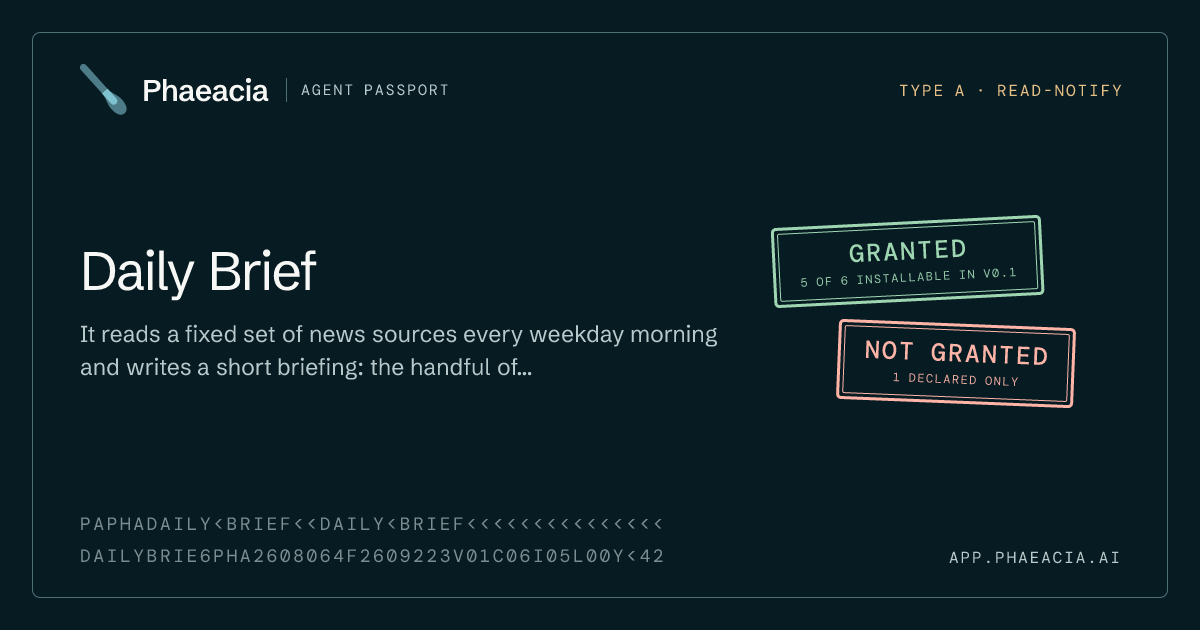
| /og/….png | The picture a chat or a feed shows beside a passport's link: its title, the first line of its description, the two stamps and its strip, drawn from the passport when the picture is asked for and stored nowhere. A link that no longer leads to a passport gets a specimen card instead. | no |
| /manage | The status behind a delete token: how many people opened it, when it comes down, and the buttons to renew it, email the link, or delete it. | no |
| /delete | Remove a published passport with its link and its token. Immediate and permanent. | no |
| /changelog | What has changed on this site that a reader could notice, newest first, in plain words. Written by hand rather than generated, so most commits never appear on it. | no |
| /privacy | What is stored and what is not, on every path and not only when you publish. | no |
| /imprint | Who operates this site and how to reach them. | no |
Thirteen pages and ten endpoints, for publishing, deleting, checking a passport's status, sending its link, the optional box that asks to hear what comes next, voting on a passport somebody listed in the gallery, counting the presses of a passport's copy control, counting the presses of the buttons that copy the setup instructions or the capture prompt, checking whether an upload has been held, and leaving an email address in case one has. That is all of it. All of them work without an account. The send box uses an address for a message, names it in the sender's own copy if they ask for one, and does not store it; a one-way hash of it counts that day's messages, so that nobody can flood one inbox through us, stops counting at midnight UTC and is deleted by a later cleanup. The optional mailing-list box hands its address to Resend to keep. The old /share address now lands on the front door, one click from the upload.
The upload flow is openly marked as a testbuild. It exists to answer two questions we cannot answer by reading: whether an owner will sit through the confirm step, and whether a recipient will sit through a guided install that ends in a list of what they did not get.